
Migraine Diary features
Migraine Diary is a migraine and headache diary for iPhone. Logging an attack takes one tap; pain level, symptoms, possible triggers, medicine and notes can be added later. The calendar and summaries show your month at a glance, and a black-on-white PDF report is ready for your doctor.
Coming soon to the App Store
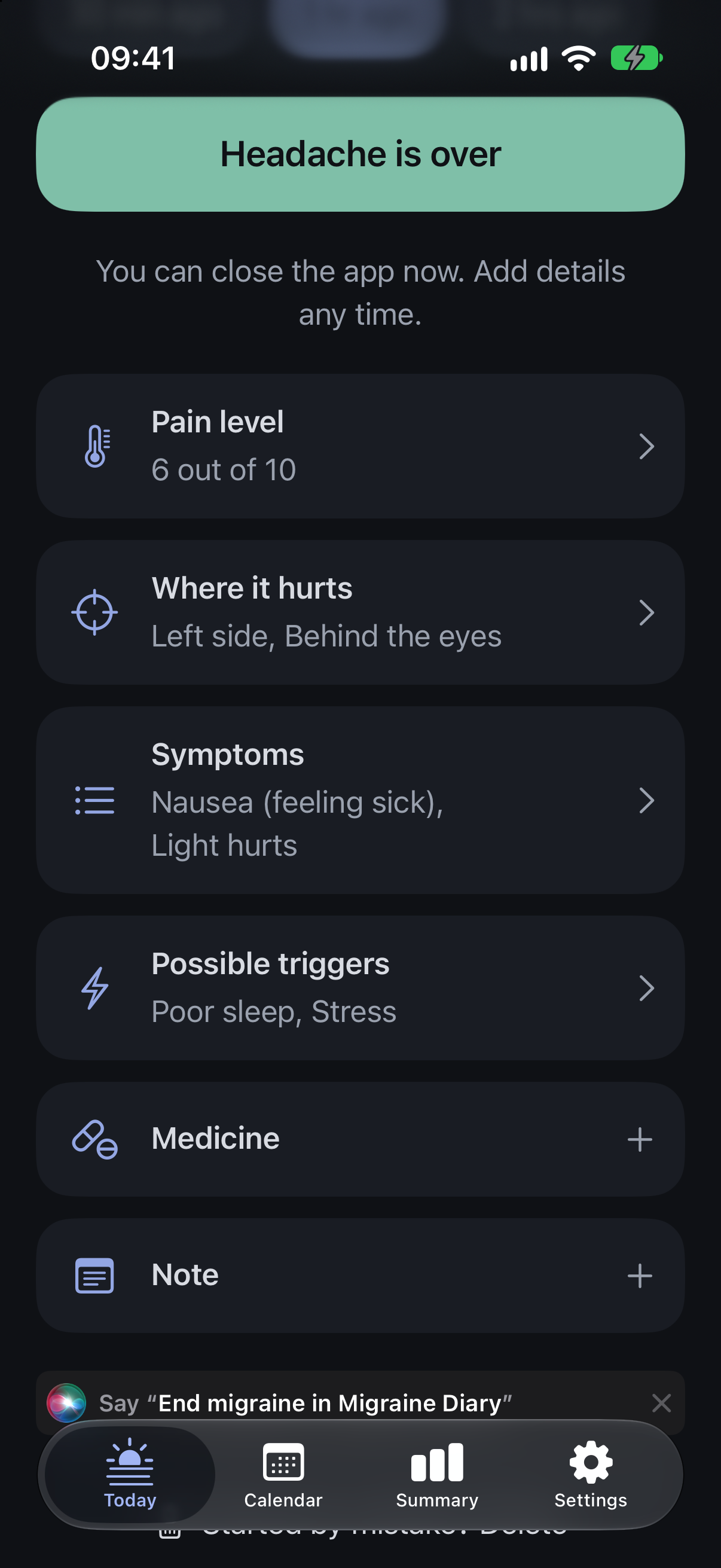
Logging: one tap now, details later
Tap “Start headache” when an attack begins and the start time is saved with no questions. Tap “Headache is over” when it ends. Everything else is optional and can be added any time, in any order: the app is built for the moment when reading is hard and patience is short.
One-tap attack logging
A big “Start headache” button saves the start time with no questions. One tap on “Headache is over” saves the end time. Times can be corrected later, and if it started earlier you can say so with one tap (15 minutes to 2 hours ago). Long attacks get one gentle check that asks whether the attack is still going.
Optional details, any time, in any order
Pain level from 1 to 10 (log it several times during one attack), where it hurts (left, right, both sides, front, back, behind the eyes, neck), symptoms such as nausea, light or sound sensitivity, aura and dizziness, possible triggers such as poor sleep, stress, a skipped meal, screen time and caffeine, medicine taken with name, dose and time plus “Did it help?”, and a free note. You can add your own symptoms, triggers and medicines while logging.
Log a past headache and edit anything later
Adding details never erases older ones, and a multi-day attack stays one attack.
Lock Screen widgets, Siri and Shortcuts
You can start or end an attack without opening the app. Lock Screen and Home Screen widgets start or end an attack and show the days since your last attack. Siri and Shortcuts understand three phrases: “Start migraine”, “End migraine” and “Log pain level”. The app also suggests the Siri phrase “End migraine in Migraine Diary” while an attack is in progress.
Every feature
Everything Migraine Diary does, in one list. There is no account and there are no ads.
One-tap attack logging
A big “Start headache” button saves the start time with no questions. One tap on “Headache is over” saves the end time. Times can be corrected later, and if it started earlier you can say so with one tap (15 minutes to 2 hours ago). Long attacks get one gentle check that asks whether the attack is still going.
Optional details, any time, in any order
Pain level from 1 to 10 (log it several times during one attack), where it hurts (left, right, both sides, front, back, behind the eyes, neck), symptoms such as nausea, light or sound sensitivity, aura and dizziness, possible triggers such as poor sleep, stress, a skipped meal, screen time and caffeine, medicine taken with name, dose and time plus “Did it help?”, and a free note. You can add your own symptoms, triggers and medicines while logging.
Log a past headache and edit anything later
Adding details never erases older ones, and a multi-day attack stays one attack.
Headache-free days
Tap “No headache today” on the Today screen, or turn on the optional daily reminder: once a day it asks “Any headache today?” and you can answer “No headache” right from the notification. The app sends no other reminders.
Calendar and history
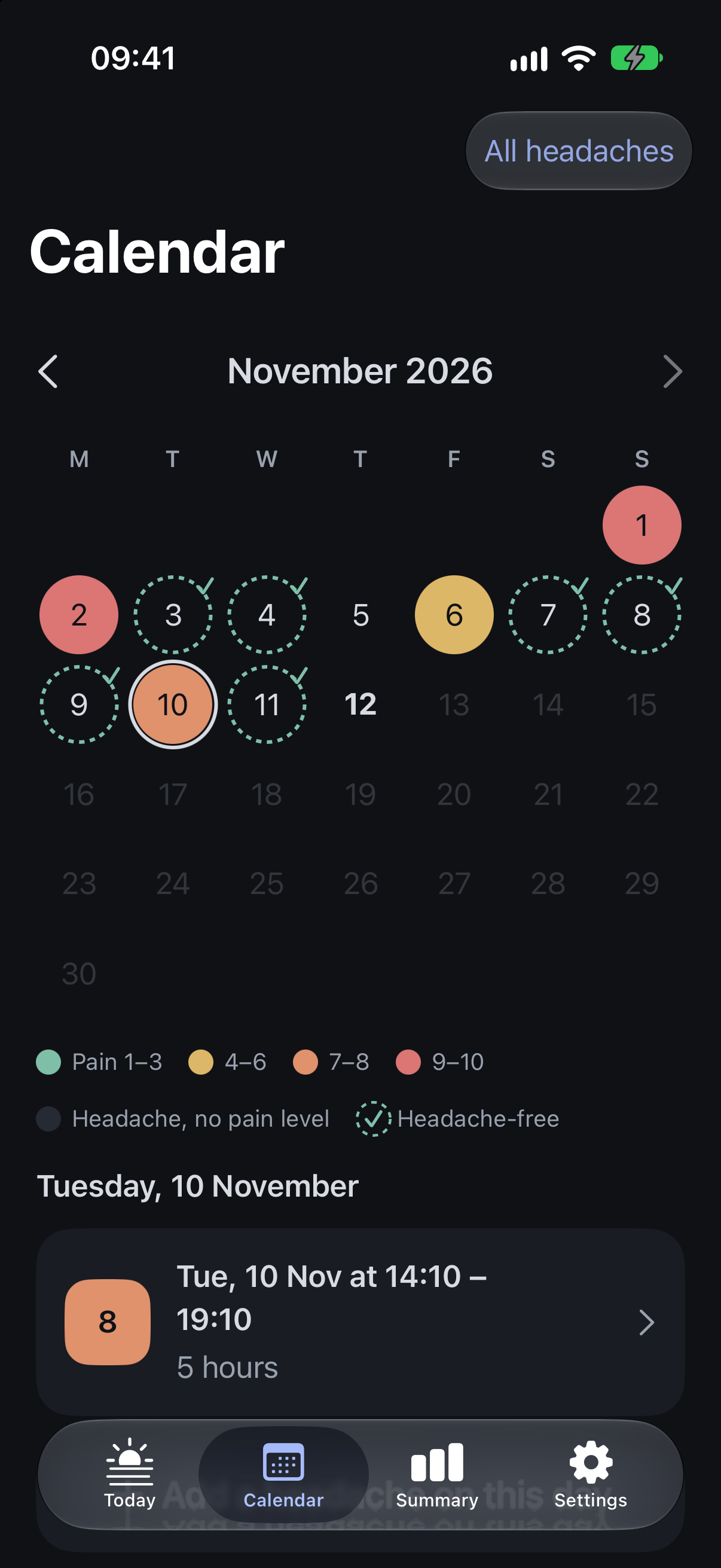
Each day is coloured by that day's worst pain, and headache-free days are marked. Tap a day to see its attacks. The free version shows the last 7 days.
7-day summary
Attack days, headache-free days, average and worst pain, average attack length and medicine days for the last 7 days. These are plain counts; the app does not interpret them.
Siri and Shortcuts
“Start migraine”, “End migraine” and “Log pain level”.
Gentle on the eyes
A calm dark design and a light theme (by default the app matches your iPhone's appearance), large text that follows the phone's text size with an extra in-app text size option, no flashing and no fast motion. Usable with one thumb.
Private
No account and no login. Your diary is stored on the phone and is never sent to the developer. Delete all data in Settings.
No ads
There are no ads in the app.
Doctor report PDF
Pick a date range (last month, last 3 months or custom). The report holds summary numbers, a table of every attack (date, length, pain, symptoms, medicines, whether the medicine helped), medicine days per month and, if you choose, your notes. Share, save, email or print it. Black on white, readable by a doctor in under a minute. You can preview one sample report before paying.
Full history and every calendar month
Every attack you ever logged, in the history list and the month calendar, with no time limit.
Statistics for any period
30 days, 90 days, 6 months, 1 year or all time, with your most frequent symptoms and triggers and the numbers your doctor asks for.
Trigger and medicine charts
Breakdown charts of the possible triggers and the medicines you logged.
Spreadsheet export
Export your whole diary as a spreadsheet for Excel or Numbers.
Lock Screen and Home Screen widgets
Start or end an attack and see the days since the last attack, without opening the app.
Face ID lock
Lock the diary with Face ID or your passcode.
Your own lists
Edit your lists of symptoms, triggers and medicines in Settings.
Calendar and summaries
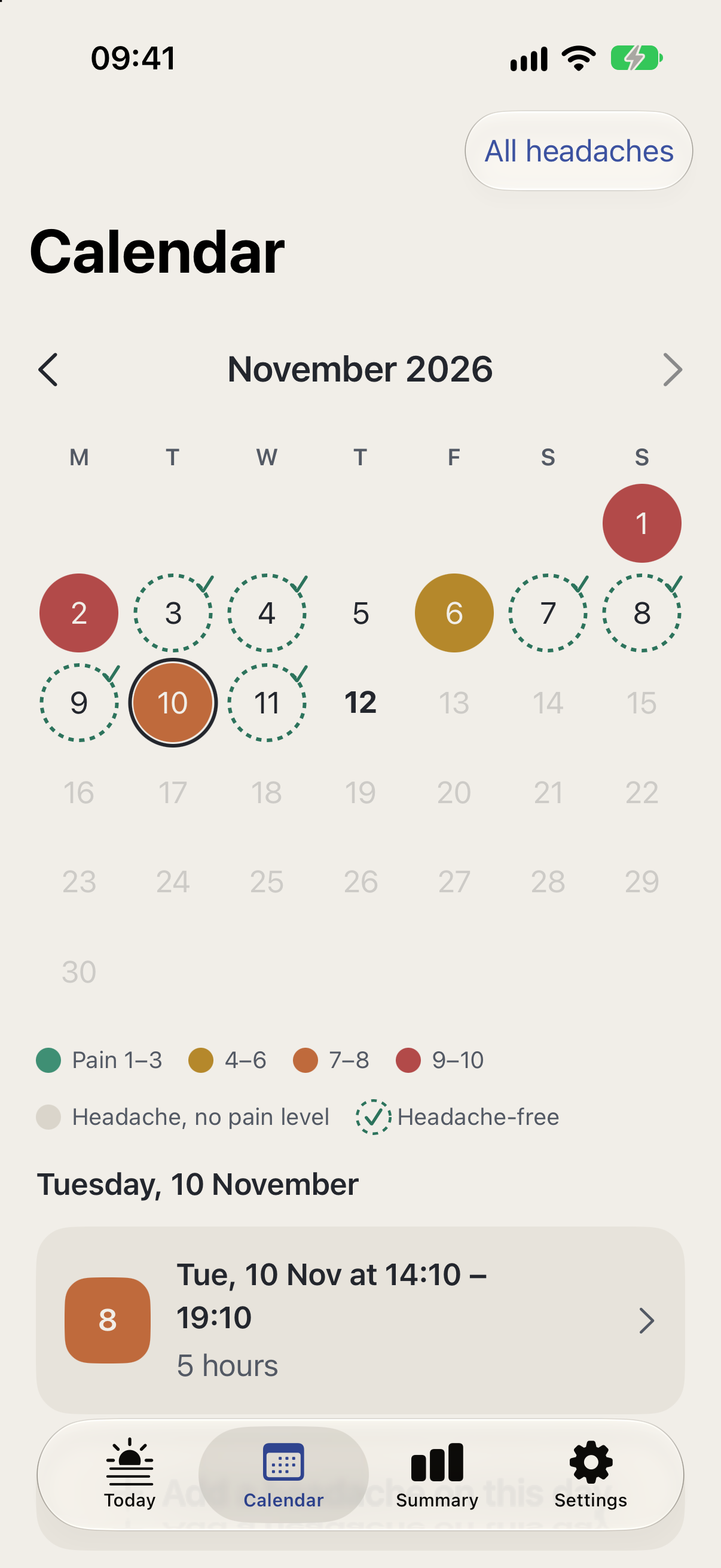
The month calendar colours each day by its worst pain, in four bands (1–3, 4–6, 7–8 and 9–10), and marks headache-free days with a dotted circle and a tick. Tap a day to see its attacks. The summaries are plain counts; the app does not interpret them.
-
What the summaries count
Attack days, headache-free days, average and worst pain, average attack length, medicine days, and the most frequent symptoms and triggers.
Your lists, one reminder, your appearance
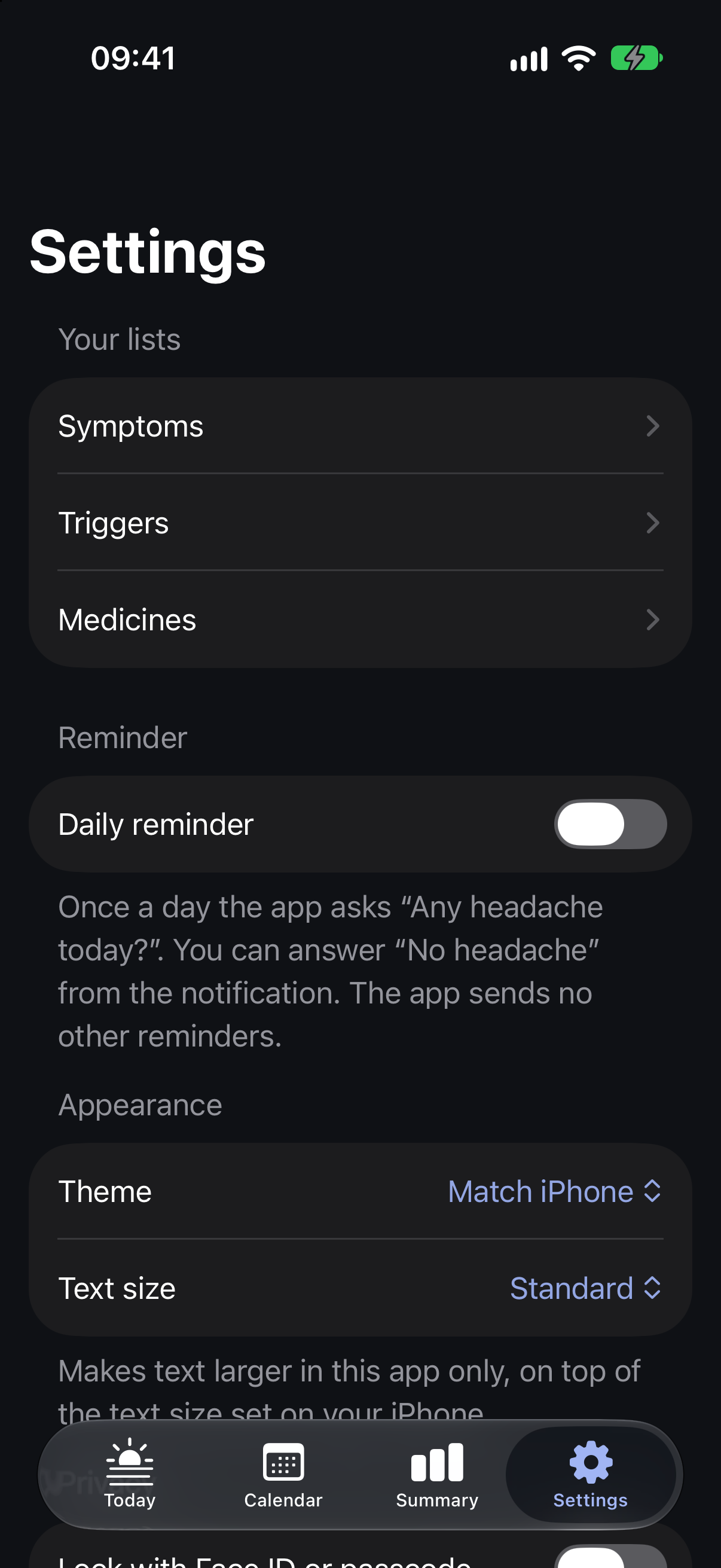
In Settings you edit your own lists of symptoms, triggers and medicines. The optional daily reminder asks “Any headache today?” once a day, and you can answer “No headache” from the notification. The app sends no other reminders and no marketing notifications.
-
Gentle on the eyes
A calm dark design and a light theme, with the Theme setting on “Match iPhone” by default. Text follows your iPhone's text size, and an extra in-app text size makes it larger still. Nothing flashes and nothing moves fast.
-
Locked and exportable
Lock the app with Face ID or your passcode. Export all data as a spreadsheet, or delete all data.
What it does not do
Migraine Diary is a diary and a report tool. It does not diagnose, predict or give medical advice, and these features are not in the app:
- No weather, air pressure, pressure alerts or forecasts.
- No Apple Health and no Apple Watch.
- No period or cycle tracking.
- No pattern insights, predictions or AI.
- No import from other apps.
- No tracking of other conditions (such as epilepsy, seizures, POTS or fibromyalgia).
- No community, chat, articles inside the app or coaching.
- No Android app and no iPad layout.
Guides on what to log
The features above follow what headache specialists usually ask patients to record. These articles explain why.
- What to Track in a Migraine Diary: A Field-by-Field List The fields a migraine diary or migraine log should hold, from start time to medicine and headache-free days, and why each one matters to your doctor.
- Migraine Trigger Diary: How to Track Triggers Honestly Common migraine triggers, why they are hard to confirm, and how to keep a trigger diary that shows real patterns instead of guesses.
- Migraine Pain Scale: How to Rate Headache Pain 0 to 10 How the 0 to 10 headache pain scale works, how to rate migraine pain consistently, why to rate it more than once, and what MIDAS and HIT-6 measure.
- How to Choose a Migraine Tracker App: A Checklist A neutral checklist for choosing a migraine tracker app: fast logging, a gentle screen, a doctor report, free history, privacy, export and price.